Manually checking every payment received is time-consuming. Fakturuj.si can automatically match payments to invoices based on the payment reference and mark the invoice as paid.
Procedure
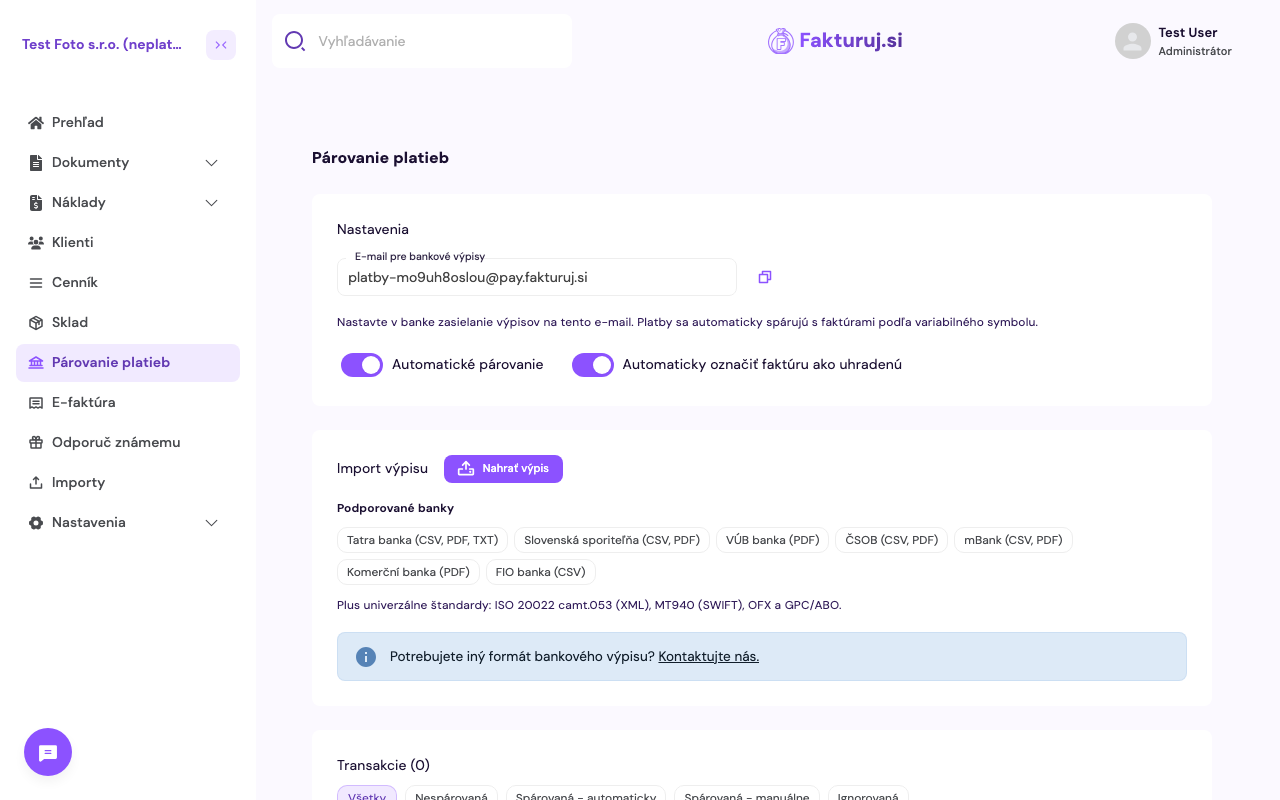
- Open Payment Matching in the left-hand menu.
- Copy the email address for your bank statements (e.g.
[email protected]) and set up your online banking to send statements to this email address. - Toggle the Automatic Matching and Automatically Mark Invoice as Paid switches.
How are payments matched?
Fakturuj.si uses the payment reference number and compares it with the invoice number. If they match, the invoice is marked as paid and its status in the list changes to “paid”.