As well as income (invoices), you can also record expenses in Fakturuj.si. This is useful for keeping track of your actual profit and cash flow.
Adding a new expense
- In the left-hand menu, open Expenses → All expenses.
- In the top right-hand corner, click on “+ Create new expense”.
- Fill in the form:
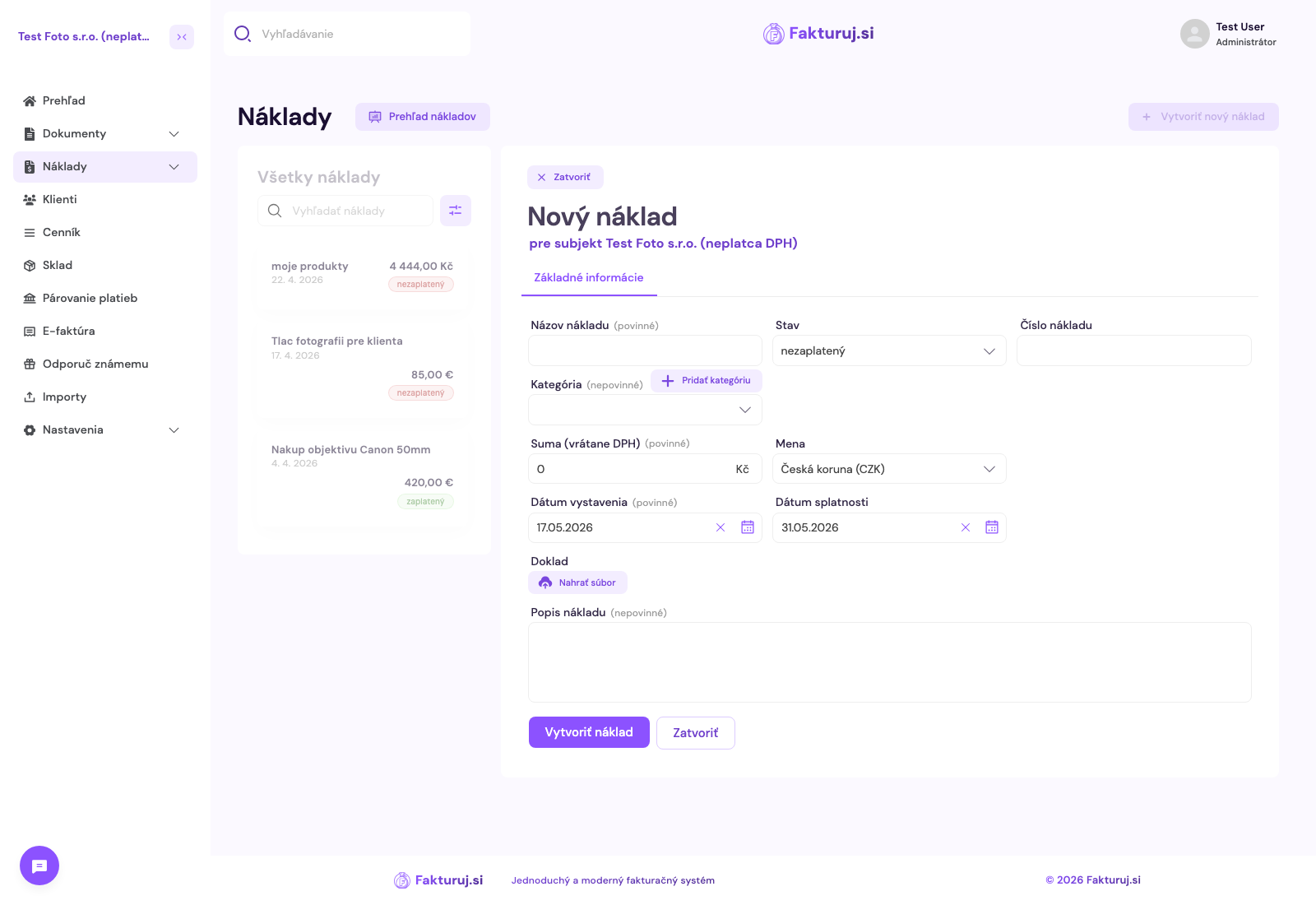
- Cost name (required) — e.g. “Internet May 2026”
- Status — unpaid (default) or paid
- Expense number — optional, e.g. supplier invoice number
- Category — select from the list, or click + Add category to create a new one
- Amount (including VAT) (required) and Currency — for foreign invoices, the CNB/ECB exchange rate is displayed automatically
- Issue date (mandatory) and Due date
- Document — optionally upload a scan of the receipt or invoice (PDF, JPG, PNG)
- Expense description — internal note explaining what the expense was for
Save by clicking the “Create expense” button.
Expense categories
Categories help you organise your expenses clearly. In the left-hand menu, open Expenses → Categories.
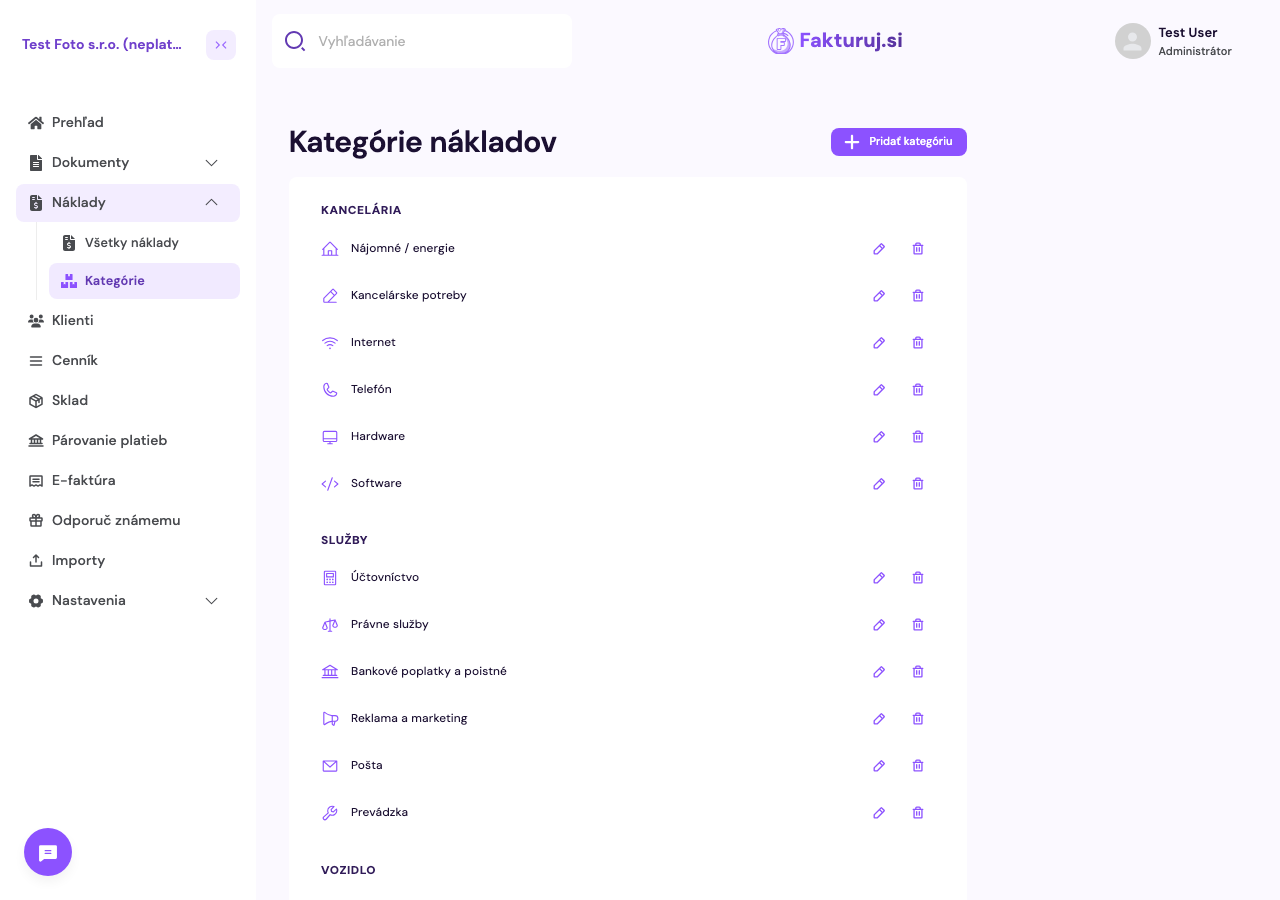
The following thematic groups are provided by default — Office (Rent, Office supplies, Internet, Telephone, Hardware, Software), Services (Accounting, Legal services, Bank charges, Advertising and marketing, Postage, Operations), Vehicle (Fuel, Servicing…) and others.
There are two icons for each category:
- Pencil — edit the name or icon of an existing category
- Bin — delete category
Top right: ‘+ Add category’ button — create your own (e.g. Software subscriptions, Training).