If you haven't enabled automatic payment matching, you'll need to mark received payments manually. It only takes a few seconds.
Procedure
- Open the invoice (Documents → Invoices → click on the specific one).
- Click on “Change status” in the top right-hand corner.
- From the drop-down list, select Paid (green) and enter the date of payment — the date the payment was received.
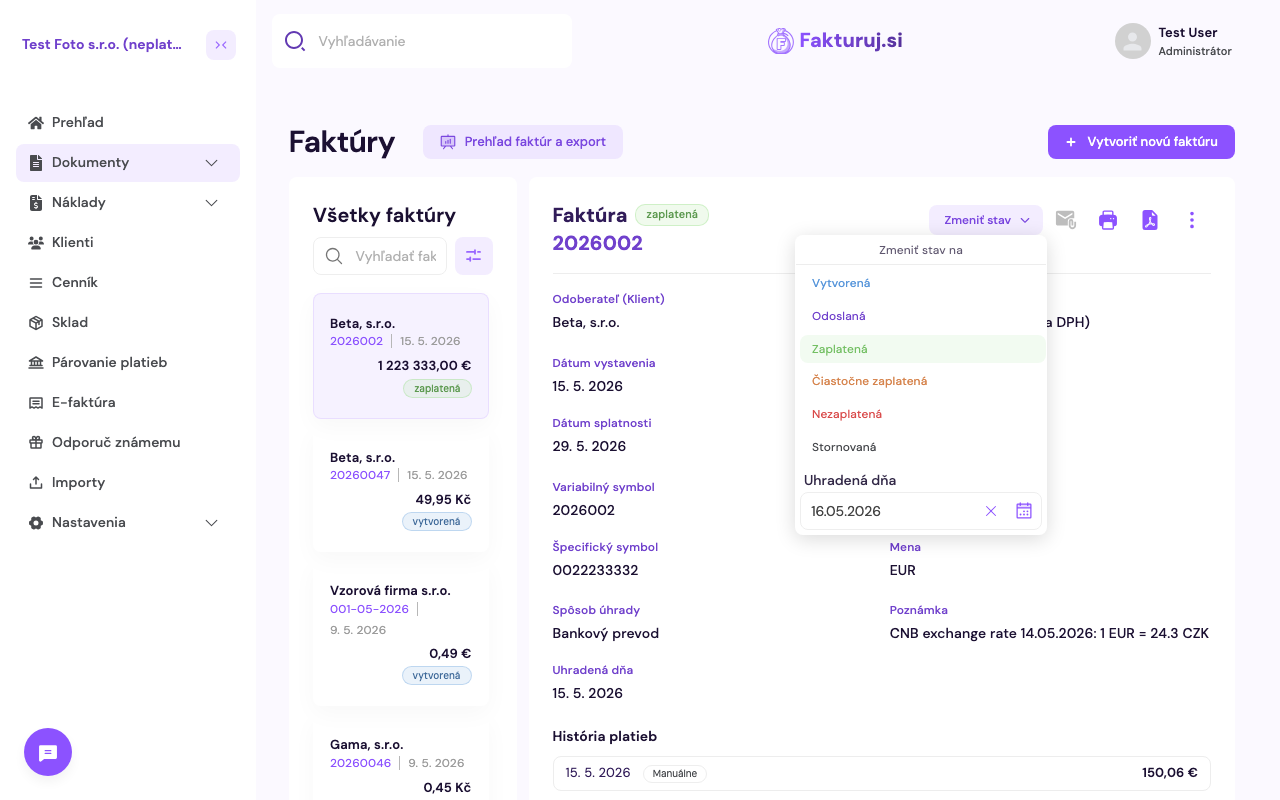
Available statuses: Created, Sent, Paid (green), Partially paid (orange), Unpaid (red), Cancelled. Use the Partially paid status if only part of the amount has been received.